Note:
1. JKOPay [TWD] payment method is ONLY supported under New Taiwan dollar [TWD].
2. Please ensure that no virtual private network (VPN) is enabled during checkout.
Step 1: Choose your products in SEAGM and then click "PayNow" to be directed to the checkout page.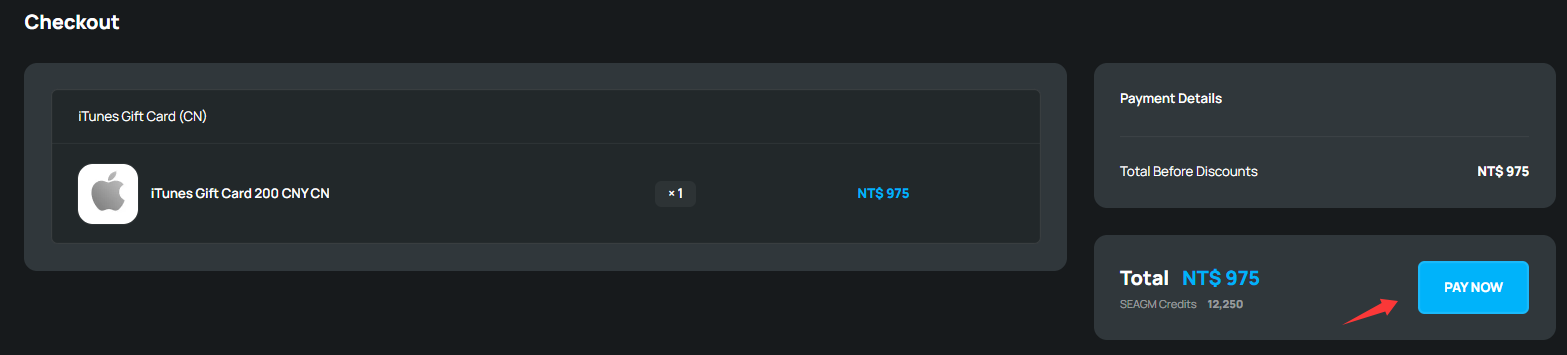
Step 2: On the checkout page, select JKOPay as the online payment method. Then, click "Pay Now". 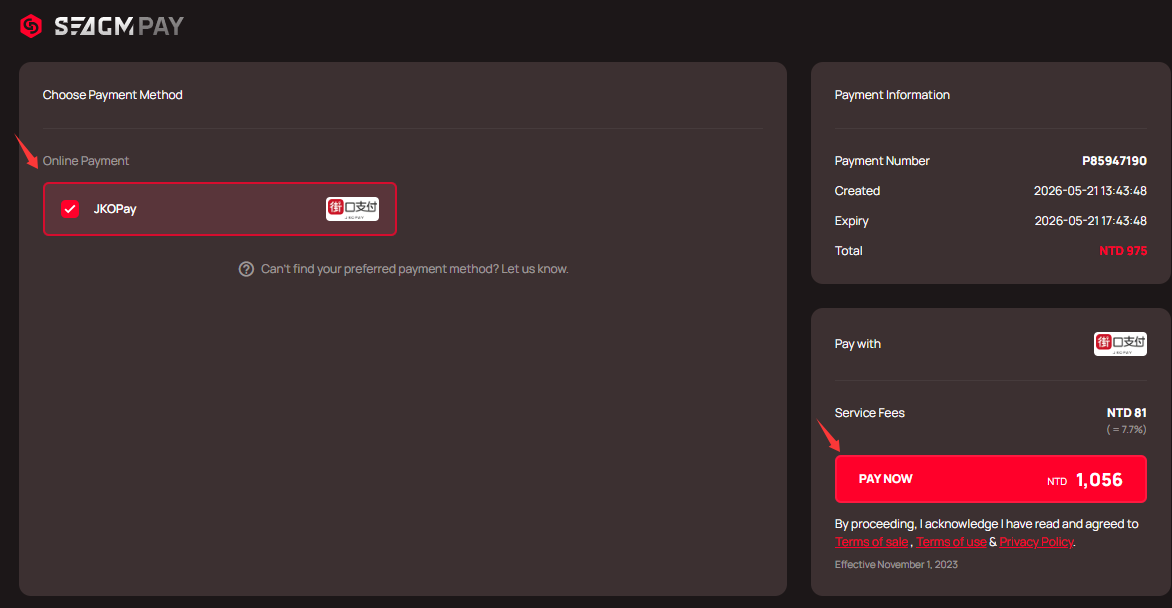
Step 3: You will be directed to the JKOPay payment page. Kindly follow the on-screen instructions to make the payment. Once the transaction is completed, please allow the payment gateway to redirect you back to our website to complete the transaction fully.
Step 4: Kindly check your order status in your SEAGM profile under "My Orders". Do contact our support team via LiveChat if the status is under "unpaid" after an hour.
Thank you.
Visit the SEAGM Support site for quick answers and guides.
Need support? Contact our Customer Support via LiveChat .